

How can AI take over your marketing?

Most marketers spend time every day on the same recurring tasks. Coming up with new content, following trends, writing social media posts, setting up blogs, and ensuring everything is published on time. Valuable work, but also work that takes up a lot of time.

Microsoft Copilot makes it possible to automate a large part of these processes. Not by simply writing a prompt, but by building complete workflows that perform tasks independently. Think of a workflow that automatically generates a new blog topic every morning, writes a LinkedIn post, and sends the results directly to your inbox.

In this blog, we show you how to build your own AI marketing assistant using Brand kits and Copilot Workflows. An assistant that understands your brand, works according to your guidelines, and delivers new content daily without you having to ask for it manually.

From manual work to full automation

Marketing teams spend a lot of time every day on recurring tasks. Coming up with new content ideas, writing blogs, creating social media posts, researching trends, and ensuring everything is published at the right time.

With Microsoft Copilot, this process changes fundamentally. By combining Brand kits and Workflows, you can automate a large part of these activities. Instead of performing the same actions every day, you build one smart workflow that independently creates content based on your brand identity, tone of voice, and pre-set instructions.

The result is a process that not only saves time but also ensures greater consistency in your marketing communications. Copilot can generate new ideas daily, write complete blog articles, draft social media content, and deliver them to you automatically.

In the step-by-step plan below, we show you how to turn Microsoft Copilot into a digital marketing assistant that works independently for your organization every day.
How to let Microsoft Copilot create daily marketing content for you with an automated workflow

Step 1: Open Copilot and describe what you want to automate

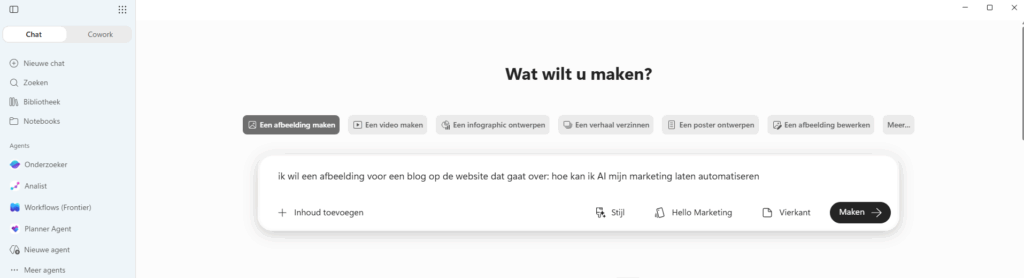
The first step is to open Microsoft Copilot and clearly formulate the workflow you want to build. In this example, you indicate that you want to create an image for a blog about automating marketing with AI.

The more clearly you describe your goal, the better Copilot understands what you want to achieve. Think of this as giving a briefing to a digital assistant. Copilot then uses this instruction as the basis for the rest of the workflow.

Step 2: Open Microsoft Copilot Apps

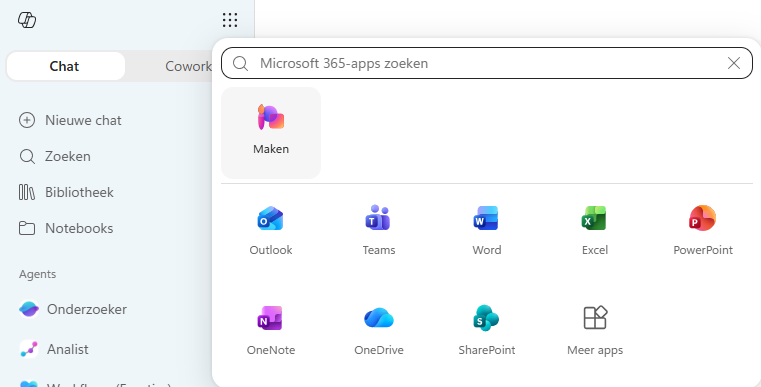
To build a workflow that performs tasks independently, open the overview of available Microsoft 365 apps. Here you will find the Create option, which allows you to set up new actions and automated processes.

From this environment, you can have Copilot collaborate with other Microsoft applications, such as Outlook, Teams, SharePoint, and OneDrive. This allows you not only to generate content but also to have it automatically saved, shared, or sent.

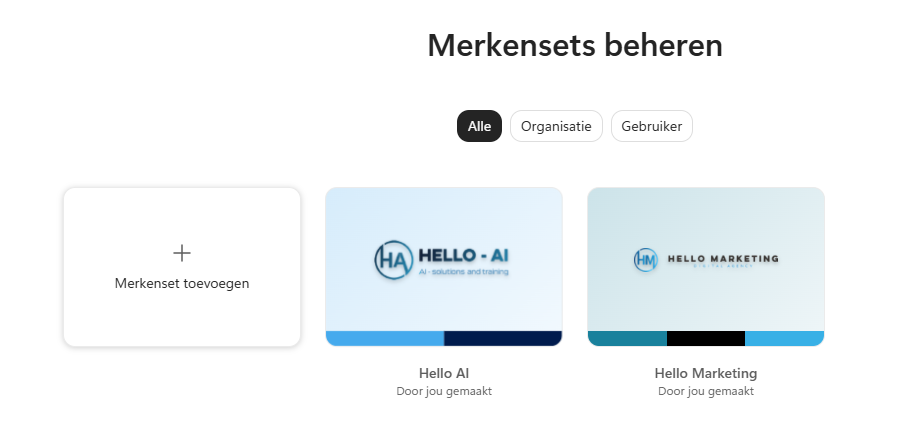
Step 3: Create a brand kit first

Before you let Copilot generate content automatically, it is smart to first create a brand kit. A brand kit contains all the information about your organization, such as your tone of voice, target audience, writing style, core values, and branding.

By setting this up in advance, Copilot does not need to be explained how the content should be written for every future task. This ensures all generated content remains consistent and recognizable for your brand.

In the menu, you therefore choose brand kits. Here you can record your organization’s guidelines so that Copilot automatically applies them within all future workflows and content tasks.

Step 4: Name your brand kit

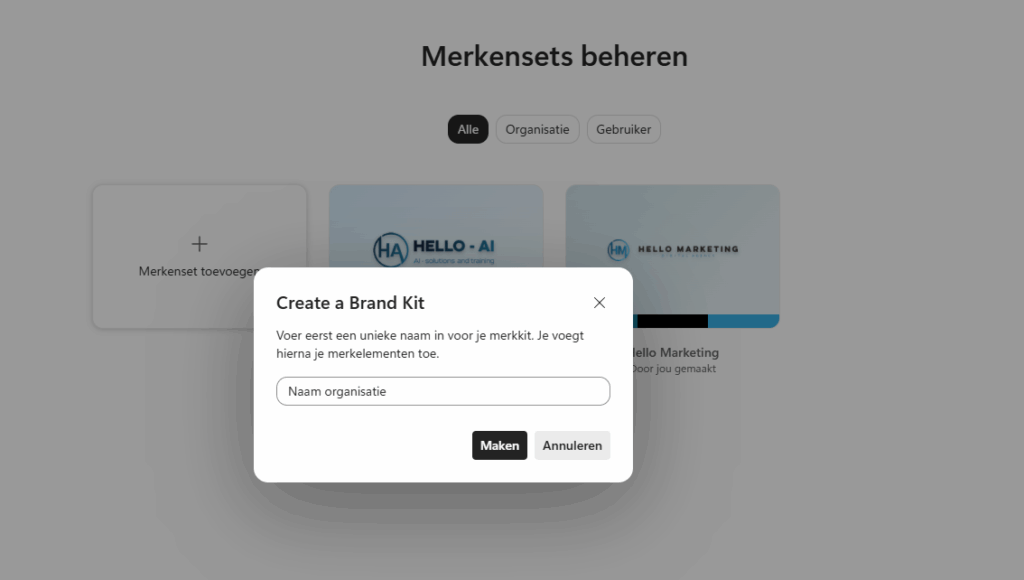
Now it’s time to create a new brand kit. Click on ‘Add brand kit’ and give the brand kit a recognizable name, for example, the name of your organization or brand.

The brand kit forms the basis for all content that Copilot generates later. By creating a separate brand kit, you can ensure that blogs, social media posts, emails, and other marketing communications always align with your brand identity, target audience, and communication preferences.

After you have entered a name, click ‘Create’ to generate and further set up the brand kit.

Step 5: Fully set up your brand kit

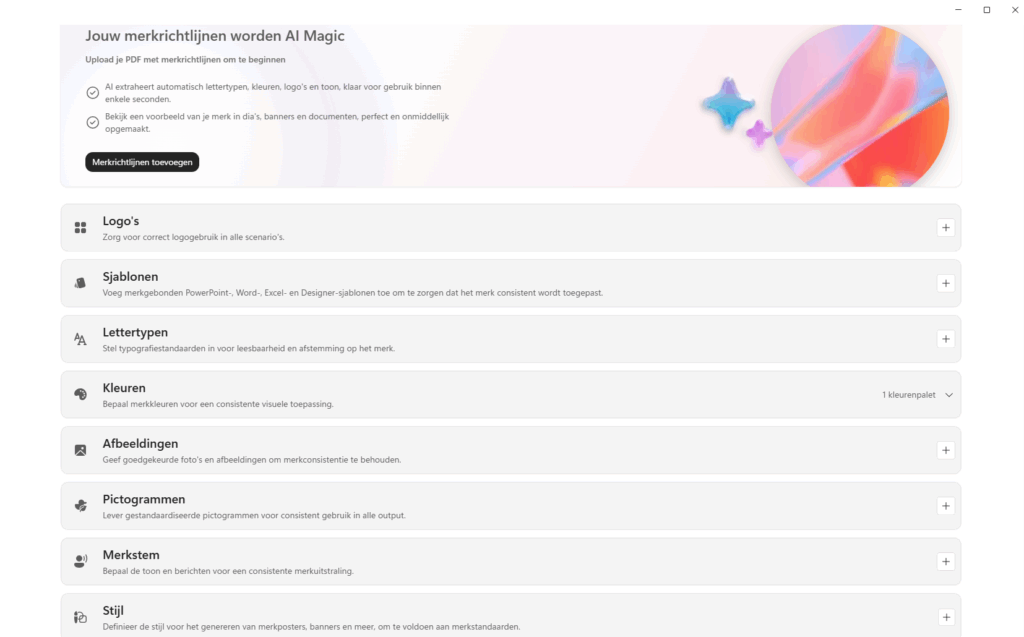
Now you arrive at the most important page of the brand kit. Here you give Copilot all the information needed to create content that truly fits your organization.

You can add your logos, brand colors, fonts, images, and brand guidelines, among other things. Additionally, you can define a brand voice so that Copilot understands how your organization communicates. For example, do you write formally, expertly, accessibly, or informally? By recording this, all future content becomes more consistent.

The more completely you fill out this brand kit, the less you will have to correct afterward. Copilot uses this information as the basis for blogs, social media posts, presentations, documents, and other marketing communications.

Step 6: Create your first automated workflow

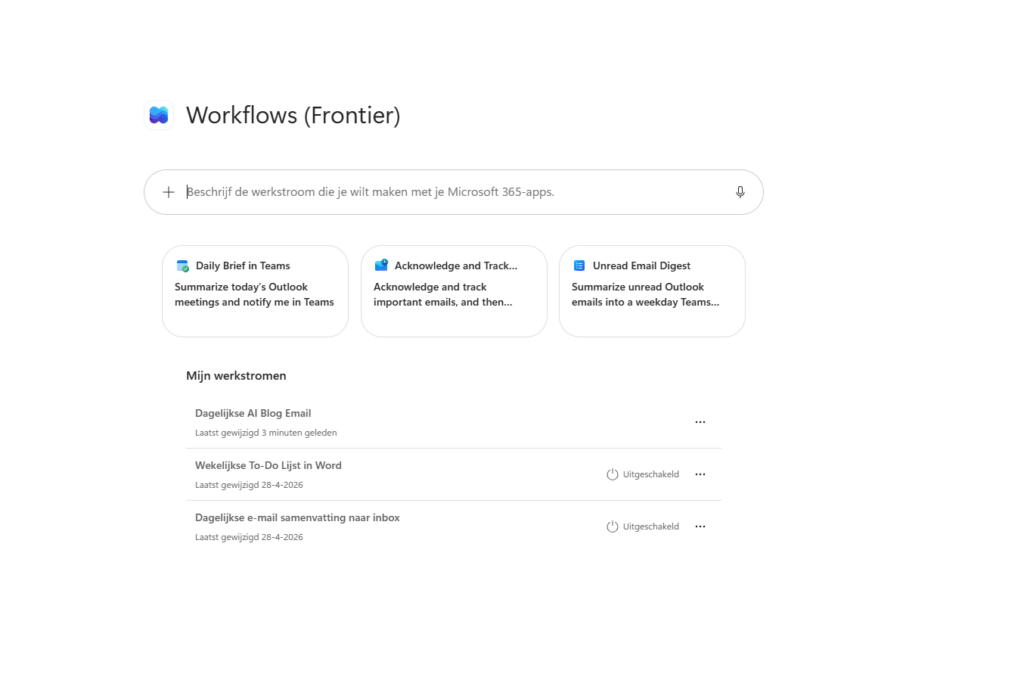
Now that the brand kit is set up, you can start building the actual workflow. Open Workflows (Frontier) and describe in one command what you want to automate.

In this example, we are creating a workflow that generates new marketing content daily and automatically sends it to an email address. Think, for example, of blog topics, LinkedIn posts, newsletters, or an overview of relevant trends within your industry.

Copilot then translates your description into an automated workflow that can be executed independently. So you don’t have to manually enter the same prompt every day.

Step 7: Configure the workflow and connect the different actions

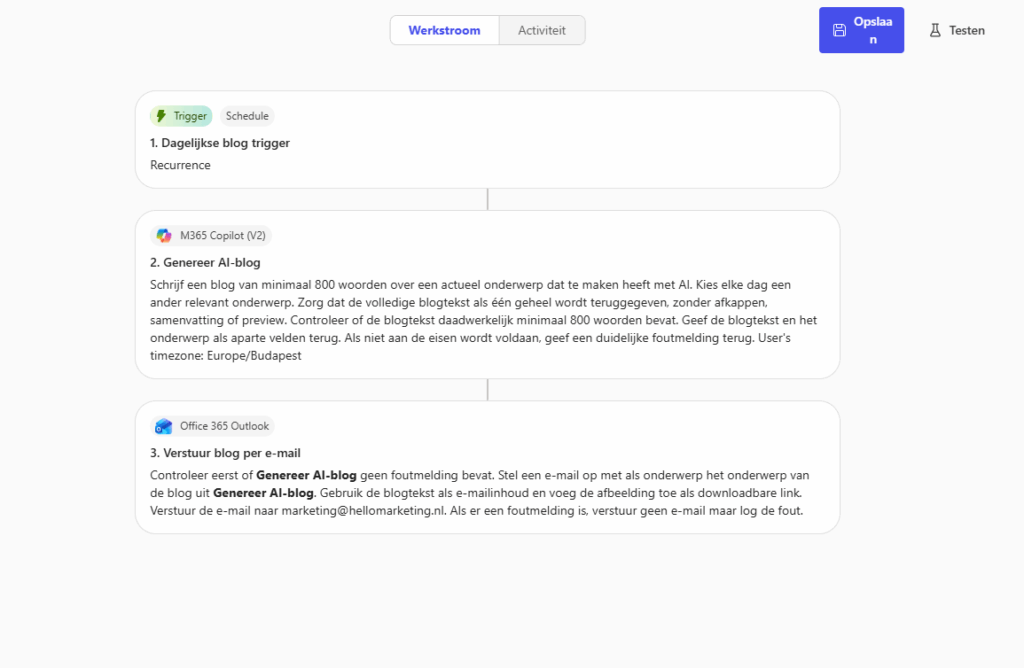
Now you can see how the complete workflow is built. The workflow consists of three parts that are executed automatically one after the other.

First, the workflow is started via a daily trigger. At the set time, Copilot activates the workflow without you having to do anything yourself.

Next, Microsoft 365 Copilot automatically generates a new blog article based on the instructions you provided. In this example, Copilot writes a daily blog of at least 800 words on a current AI topic. Additionally, the workflow checks if the article meets the set quality requirements before it is processed further.

Finally, the generated content is automatically forwarded via Outlook. The workflow uses Copilot’s output as the content of the email, so you receive a new blog directly in your inbox every day.

The next step in marketing automation

Microsoft Copilot is often seen as a smart assistant for writing text, but the real power lies in automation. By combining a brand kit with Workflows, you can completely hand over repetitive marketing tasks. Think of generating blog articles, social media posts, trend analyses, or newsletters that are automatically delivered at the right time.

With a one-time setup, you create a digital marketing assistant that works for you every day. This way, you spend less time on recurring tasks and more time on strategy, creativity, and growth.

Ready to automate your marketing with Copilot?

You have now seen how you can do much more with Microsoft Copilot than just writing content. By cleverly combining brand kits and workflows, you create a digital marketing assistant that works for you daily. From blog articles and social media posts to trend analyses and email campaigns: repetitive tasks are performed automatically, leaving you with more time for strategy and growth.

Curious which marketing processes within your organization are suitable for automation? Or do you want to know how to optimally deploy Copilot within Microsoft 365?

We are happy to brainstorm with you and show you the possibilities for your team.