One of the best-known AI solutions within the work environment is Microsoft Copilot. Copilot is integrated into the Microsoft 365 environment and can provide support for tasks in Word, Outlook, Teams, Excel and PowerPoint, among others. This literally brings AI within reach of employees who work with documents, email, meetings, data and presentations every day.
Faster getting the right answer
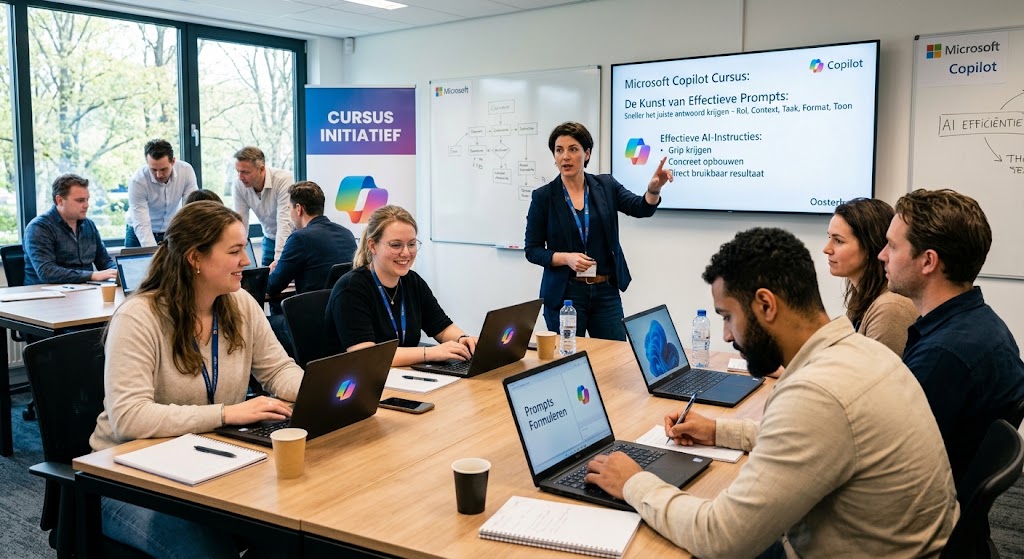
The outcome of Copilot depends entirely on the way you phrase the question. Anyone who only gives a short instruction such as “Write an email about the new project”, often gets a stiff, impersonal text that you still have to rewrite yourself. In a course you learn exactly how to apply the optimal structure of a professional prompt. By instructing Copilot specifically. for example: “Take on the role of senior project manager, summarize the 3 most important goals from the plan below for management, use a convincing tone and limit the length to 150 words” you receive a text within seconds that is immediately ready for use.
Dozens of hours saved on administration and routine tasks
A large part of the work week is lost to recurring side issues, such as sifting through emails, gathering action points and searching through overflowing folders. This kind of administrative ‘noise’ costs unnecessary time and energy.
With Copilot you drastically shorten and automate this work:
Quickly draft concepts: Let Copilot create a first draft of a project proposal or report within seconds, so you don’t have to start from scratch.
Structure notes: Turn loose notes from a meeting directly into a neat table or to-do list.
Scan documents: Extract the most important facts and figures from multiple reports at once in just a few seconds.
Gather actions: AI immediately lists which agreements were made and who needs to do what.
Quickly gain insights from Excel without struggling with formulas
For many people, Excel is one of the most difficult programs in the workplace. Anyone who wants to quickly extract something from a large table often loses a lot of time looking up the right formulas, building pivot tables, or setting up formatting rules. In a course, you’ll learn how to skip all these steps by simply asking Copilot questions in plain sentences.
You give the AI a direct, targeted instruction, such as: “Highlight all customers who spent more than 20% less this quarter and create a chart of the top 5 risers.” Copilot immediately performs the analysis, applies the formatting, and generates the visualization within a few seconds. This means you don’t need complicated knowledge of functions
Building presentations in minutes instead of hours
Creating a sleek PowerPoint presentation often takes hours. You lose a lot of time aligning boxes, searching for images and figuring out a good layout. In a course you learn how to let Copilot take over this entire process.
You simply ask the AI to turn an existing Word document or strategy report into a presentation. Copilot divides the text logically across the slides, chooses a suitable format and immediately prepares the explanatory text in the speaker notes. Want to adjust something? Then you simply give a short instruction such as: “Make slide 3 a bit more visual.” This way, a complete presentation is ready within a few minutes.
Working through an overflowing inbox faster
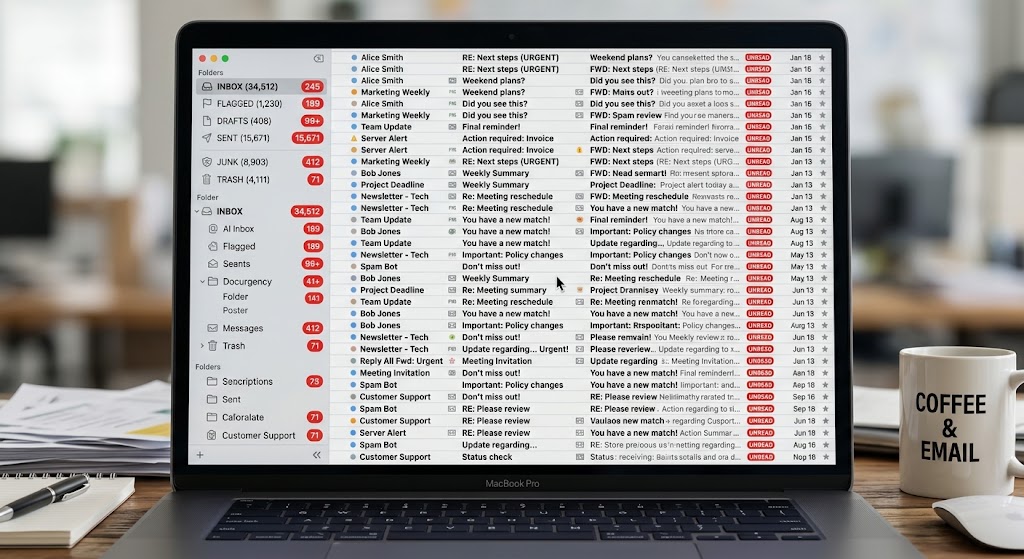
Coming back from vacation or a day full of meetings often means an enormous pile of emails is waiting for you. Sifting through all those messages costs unnecessarily much time and energy, especially when you have to dig through long email threads with dozens of replies to understand exactly what was agreed upon.
In a course you’ll discover how to use Copilot in Outlook to tackle this process much more efficiently:
Summarizing long email chains instantly: Instead of reading every email separately, let Copilot create a short summary with a single click. You immediately see what the issue is, what decisions have been made, and what the current status is.
Drafting suitable replies quickly: The AI helps you write a first draft of a reply within a few seconds. You simply indicate what you want to say, and Copilot turns it into a proper email.
Matching your own writing style: You’ll learn how to guide the AI so that the replies feel natural and sound exactly like how you normally write.
Filtering out action items: Copilot scans your inbox and immediately lists which emails contain a specific question directed at you.
Smarter and faster meetings via Teams
Online meetings take up a large part of the work week and demand constant attention. Often, during a meeting, you’re so busy taking notes that you lose focus on the content. Moreover, working out the minutes and following up afterwards costs a lot of extra time.
In a course you’ll discover how to use Copilot in Microsoft Teams as a smart assistant during and after your meetings:
Automatic summaries: Copilot listens in the background and immediately creates a clear overview of the main topics and insights afterwards.
Asking questions about the meeting: Did you miss a part or joined later? You can ask the AI specific questions during or after the meeting, such as: “What was discussed about the budget?” or “What did not everyone agree on?”
Clear action points and decisions: No more doubt about agreements. The AI lists exactly which decisions were made and which tasks were assigned to whom.
Attend fewer meetings: Double-booked or can’t make it? You can simply ‘follow’ a meeting and have Copilot filter out the summary and your specific action points afterwards.
Handling company data securely
Many employees use public AI tools on a daily basis, often without being aware of the risks to the organization’s privacy. After all, data entered into these public systems can be used to further train the AI, potentially exposing sensitive company information.
In a course, you’ll learn exactly how security is set up within the Microsoft Copilot environment. You’ll discover the crucial difference between the public ‘web’ mode and the fully protected work environment. You’ll learn how Microsoft ensures that your data, prompts, and the generated results remain within the secure boundaries of your organization and are never used to publicly improve the AI models. This way, you can confidently make use of the power of AI, while the confidentiality of your company data remains safeguarded.
Getting started faster with new tasks
The hardest part of a new project is often the very beginning. You stare at a blank screen and lose a lot of time thinking up an initial outline, the right structure, or a suitable angle. With Copilot you bypass this start-up phase.
In a course you learn how to use the AI to get off to a flying start right away:
Coming up with angles: Ask Copilot to come up with five different ways to approach a project, proposal or article within half a minute.
An instant first draft: Instead of typing from scratch, have Copilot generate a first draft for a report, email or strategy.
Setting up structure: Use the AI to create a logical layout for a document or presentation, so you immediately know which parts you need to work out.
This means you never start with a blank page again. You use Copilot’s output as a basis, which you then only need to refine with your own knowledge and substantive input.
Making AI texts sound like your own organization
Generated AI texts often sound stiff, overly enthusiastic, or too formal. Words like ‘crucial’, ‘transformation’ or ‘seamless’ fly around your ears, making the content immediately recognizable as a piece written by a computer.
In a course you’ll discover how to prevent your texts from sounding like a robot and how to steer Copilot towards your desired tone:
Providing style instructions: Give specific instructions, such as: “Write actively and accessibly, avoid jargon and don’t use clichés.”
Working with example texts: Have Copilot analyze an existing text from your organization to directly adopt that specific writing style and sentence structure.
Steering format: Prevent verbosity by providing clear frameworks in advance about length, paragraph structure and the use of bullet points.
This way you no longer have to completely rewrite drafts, but instead get a text that immediately feels natural and matches what colleagues and clients are used to from you.
Increase your own value in the workplace
The impact of AI on daily work practice is growing rapidly. Knowledge of tools like Copilot is changing from a handy extra into a valuable core skill in the labor market. By mastering this technology well now, you not only work a lot smarter, but also directly strengthen your position within your organization.
In a course you learn how to strategically deploy AI skills for your own development:
More focus on content and strategy: By outsourcing repetitive tasks such as summarizing, formatting and typing first drafts to Copilot, you have more time left for the thinking work where your specific expertise really makes the difference.
Higher quality output: You learn how to use AI as a sounding board to sharpen plans, test angles and strengthen substantiations, which directly increases the quality of your deliverables.
Proactively keeping pace with innovation: Whoever shows how AI can be applied practically and safely in the workplace naturally takes on a pioneering role within the team or organization.
Future-proof skills: You develop a way of working that keeps pace with the latest digital developments, keeping your knowledge and skills relevant.