Google has brought a new player into the AI field, and it deserves your attention. Gemini is Google’s answer to ChatGPT and brings artificial intelligence to the tools you already use every day.
Google announced Gemini on May 10, 2023 during the Google I/O keynote and officially launched it on December 6, 2023. It was developed by Google DeepMind, with even co-founder Sergey Brin coming out of semi-retirement to help. Gemini is an AI assistant that understands text, analyzes images and can write code. It works together with Gmail, Google Docs, Chrome and other Google services you probably already know.
What makes Gemini special
What makes Gemini special is that it’s multimodal. This means it processes different types of data simultaneously, such as text, images, audio, video and code. For example, you can upload a photo and ask questions about what you see, or you can speak out loud and Gemini understands what you mean.
The different versions
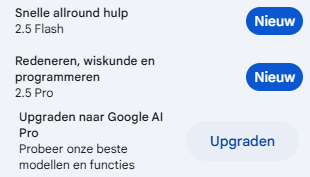
At launch, Google released three versions. Ultra is the most powerful variant and can solve complex problems. Pro is the mid-tier version you use for everyday tasks. Nano is the lightest version and runs on your phone. The Pro version was immediately built into various Google apps. The Ultra version arrived a bit later, in early 2024, and you pay a subscription for it if you want to use the most advanced features.
Why Gemini is interesting
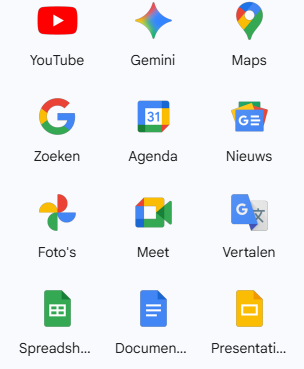
Gemini has direct access to information from Google Search. It works together with Gmail, Google Docs and Google Workspace. You can upload and analyze images. Google deploys Gemini widely. It’s in the search engine, on your smartphone via the Google Assistant, and in business tools such as Docs and Sheets. The goal is to make AI truly useful in your daily work, not as a standalone tool but as an integrated assistant that’s available everywhere.
Practical example with photos
Example prompt: make it autumn/winter in the photo with bare trees and a thunderstorm
The image was truly copied and adjusted perfectly. This is because Google Gemini can read and understand photos very well. If you ask for an adjustment to a photo, it will always look exactly like the original photo plus the edits.
How companies use Gemini
We see companies using Gemini for market research with data, analyzing documents and images, writing content that lands directly in Google Docs, summarizing long email threads in Gmail, and generating code that can be tested immediately.
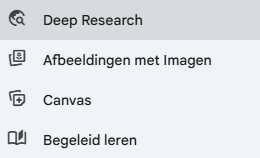
Deep Research
Deep Research comes in handy when you really want to dive deep into a topic. Instead of a short answer, you get a full report with information from multiple sources. The AI searches for you, compares what’s being said, and puts it all together neatly. Perfect for when you want to know more than a quick answer can tell you.
Images with Imagen
With Imagen, you create images by typing what you want to see. The AI understands your description and turns it into an image. This is Google’s version of what you might know from DALL-E. You can use it for social media, presentations, or just to visualize ideas. Sometimes it works in one go, sometimes you need to tweak your text a bit.
Canvas
Canvas is a workspace where you work on documents or presentations together with the AI. You immediately see what happens and adjust it right away exactly how you want. No long back-and-forth, just getting straight to the end result. It makes the process a lot faster and clearer.
Guided Learning
Guided Learning works like a personal teacher. The AI explains things at your level, with examples and exercises you can actually use. Don’t understand something? Then it explains it differently. Handy for school, but also just when you want to learn something new without taking a whole course.
What to watch out for
The integration with Google services is handy but can raise privacy questions. Gemini, like other AI systems, can hallucinate and make up information. The free version has limitations in complexity and speed. The quality of answers varies by task.
How to use Gemini smartly
Use the Google Search integration for up-to-date information but verify important facts. Test different versions to see what suits your tasks. Combine Gemini with other AI tools for better results. Use image analysis for visual tasks such as charts or product photos. Take advantage of the Workspace integration but be aware of what data you share.
What you need to remember
Google Gemini is a handy AI tool with strong points in integration and up-to-date information. It’s not a miracle cure but it is a useful addition to your AI toolkit. The best approach is often to combine multiple AI tools, depending on what you need.
Train your team to use Gemini effectively. Learn when to choose Gemini over other tools. Build processes that leverage the strong points and compensate for the weak points.
Training with Google Gemini?
Want to learn how to make the most of Gemini and other AI tools? Our trainings teach your team to choose the right AI tool for every task. Practical, with real examples and concrete strategies you can apply right away.