**Generative AI**, which tools do you use for images, video, diagrams, and presentations?
Discover the 4 most powerful tools for generative content that you can genuinely use in trainings and presentations. Generative AI is more than just ChatGPT.
If you want to create visual content for your presentations, marketing or training, you need specialized tools. ChatGPT is fantastic for text, but if you need an impactful image, want to create an explainer video or put together a professional presentation, then text alone falls short. In this guide, I share four powerful options that will help you with that: one for images, one for videos, one for diagrams and one for presentations. Each of these tools specializes in what they do and delivers results you can use right away. No half-baked output that still needs hours of editing, but content that looks professional and strengthens your message.
Over the past few years, Midjourney has developed into one of the most powerful tools for generating AI images. The tool is known for its artistic and realistic style, with great attention to detail and vibrant colors.
What makes Midjourney different?
You work with Midjourney by entering text prompts that describe what you want to see. The tool originally started out on Discord only, but now also has its own web interface. This makes it more accessible than before.
Midjourney excels at creating artistic images with lots of detail and realistic photos that are almost indistinguishable from real ones. You have a lot of control over the style through settings, making it well suited for marketing materials and presentations that need to make an impact.
Practical example: Imagine you’re giving a training on teamwork. Instead of searching for stock photos, you give Midjourney a prompt like: “A diverse team of professionals collaborating at a whiteboard in a modern office environment, natural light, photorealistic”. Within a minute, you get multiple options you can use.
Who is this suitable for? Midjourney works well if you regularly need high-quality images and are willing to invest in a subscription. The tool requires some practice with writing prompts, but the results are often immediately usable.
Note: For Dutch users, Sora 2 is not yet accessible. There are alternative platforms (such as Vidful.ai) that offer similar technology, but the official OpenAI version remains limited to North America for the time being.
2. Sora 2
Creating videos without a video camera
OpenAI launched Sora 2 in September 2025, a tool that generates videos from text descriptions. The special part? The videos also include sound, spoken text and music that are generated automatically.
What can Sora 2 do?
Sora 2 goes further than most video generators. The tool understands not only what you describe, but also how things move and work in the real world. A basketball that hits the rim bounces back realistically – it doesn’t magically teleport into the basket like with older tools.
Sora 2 generates videos up to 20 seconds long with synchronized sound, realistic physics and movements. You can place yourself or others in videos via the “cameo” feature and remix and adjust other people’s videos (if they allow it).
When do you use this?
Sora 2 is interesting for explainer videos, product demos or concept visualizations. Think of a situation where you want to quickly show a scenario without setting up a full video production. The tool isn’t widely available yet, but keep an eye on it if you regularly work with video.
3. Napkin.ai
From text to clear diagrams
Creating diagrams takes time. You have to think about the layout, find the right icons, and organize everything in a logical way. Napkin.ai takes a large part of that work off your hands.
How does Napkin.ai work?
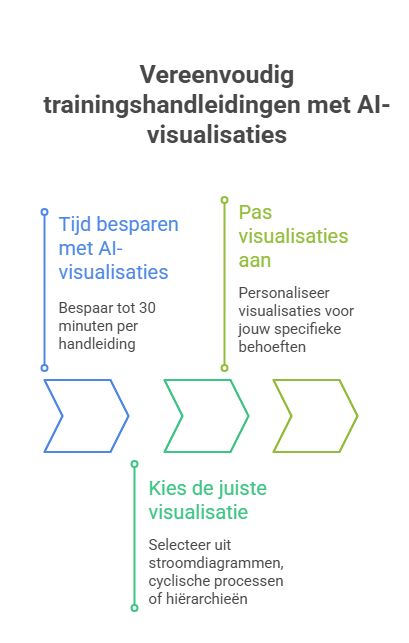
You paste a piece of text into Napkin.ai or type something yourself. The tool analyzes the content and automatically generates various visualizations: flowcharts, mind maps, process diagrams, or infographics. You choose the version you like best and adjust it to your needs.
Napkin.ai automatically generates diagrams from existing text and suggests different visualization formats for the same content. You can customize icons, colors and text, export as PNG, PDF or SVG, and collaborate with others in the same document.
Practical application: If you’re writing a training manual about a process with several steps, paste the text into Napkin.ai. The tool immediately offers you multiple visualizations: a flowchart, a cyclical process, or a hierarchical layout. You choose what fits and adjust it. This easily saves you half an hour of work compared to manual design in PowerPoint or Canva.
Ideal for: Teachers who want to make lessons visual, trainers who need to explain complex concepts, presentations where you want to replace bullet points with clear diagrams, and teams working together on documentation.
4. Gamma
Complete presentations in minutes
Gamma is an AI tool that creates entire presentations for you. You provide a topic and, if needed, some context, and Gamma builds a complete presentation with structure, text and visual formatting. No more endless fiddling in PowerPoint.
What makes Gamma special?
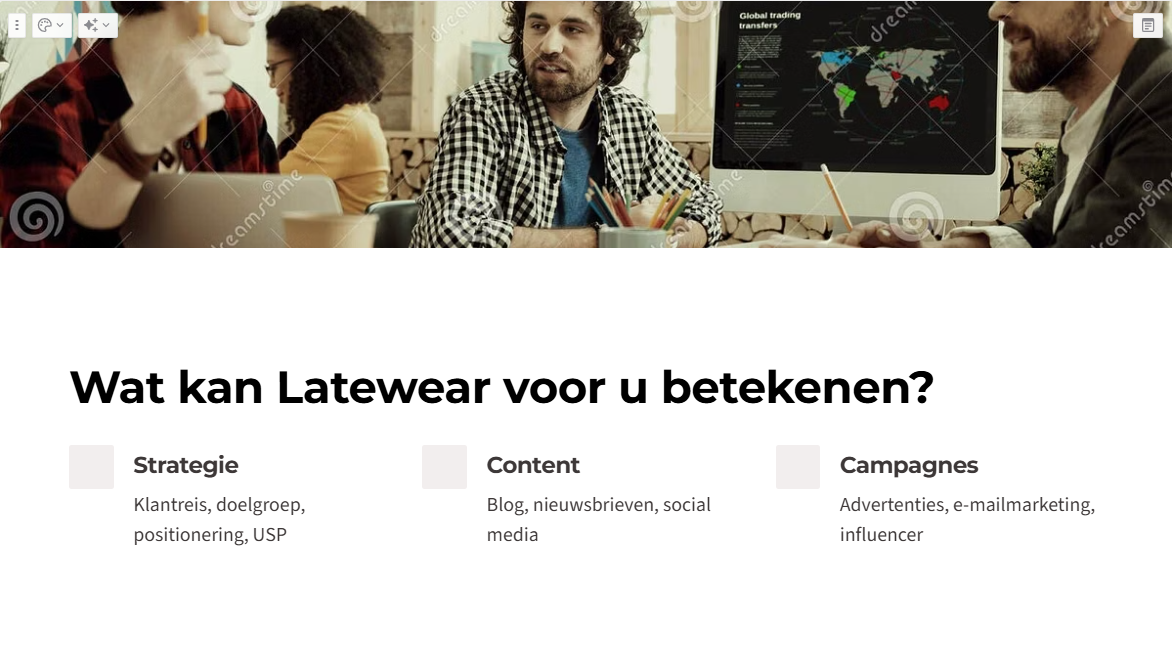
Instead of working slide by slide, with Gamma you think in stories. You enter a prompt like “Create a presentation about the importance of cybersecurity for SMEs” and Gamma creates a complete presentation with a logical structure, professional design and relevant content.
Gamma automatically builds your entire presentation based on a topic or existing text. The tool chooses suitable layouts and colours, generates relevant content per slide, and you can export presentations to PowerPoint or Google Slides. Also handy: you can publish directly to LinkedIn or share them as an interactive webpage.
Practical example: You need to give a presentation about your services to a potential client tomorrow. Normally this takes you hours. With Gamma, you type: “Presentation about AI training for businesses, focus on practical applications, 10 slides”. Within a few minutes you have a workable foundation that you only need to adapt with your own examples.
Who is this for? Gamma is handy if you regularly create presentations and want to spend less time on formatting. The tool works well for business presentations, pitches, and trainings. Do note: the free version has limitations and some advanced features are behind a paywall.
Which tool do you choose when?
The choice depends on what you want to create:
Choose Midjourney
If you need professional marketing images where artistic or conceptual visualizations are central, you have the budget for a subscription, and you’re willing to invest time in learning good prompts.
Choose Sora 2
If you want to create videos without using a camera, you live in North America or have access to the tool, explainer videos or product demonstrations are your main goal, and you’re experimenting with new technology (and have patience for the rollout).
Choose Napkin.ai
If you need quick diagrams and infographics, want presentations to become more readable, have a limited budget (the tool is free), and have no design experience but still want professional visuals.
Choose Gamma
If you regularly need to create complete presentations and want to save time on structure and formatting, want to share interactive web presentations, and want to export your presentations to PowerPoint or Google Slides.
Can’t this do that either?
Yes, there are things these tools (still) can’t do well:
Midjourney struggles with text in images. If you want a poster with readable text, you often still need to add that manually.
Sora 2 is geographically limited and you need an invitation. For many users, it simply isn’t available yet.
Napkin.ai doesn’t replace a full design process. For strongly brand-aligned visuals with specific corporate identities, you still need tools like Canva or Adobe.
Gamma offers limited design freedom because it relies heavily on templates. Advanced features such as engagement tracking are behind a paywall, and generated data should always be manually checked for accuracy.
Start small and build up
You don’t need to start with all four tools at once. Start with one tool that fits your most common need. Do you need a lot of visuals? Try Midjourney for a month first. Do you need to explain complex concepts? Test Napkin.ai for free. Do you often create presentations? Get started with Gamma. Want to experiment with video? Keep an eye on Sora 2 and explore alternatives.
The great thing about these tools is that they complement your workflow, rather than replace it. You remain in control of which content you use and how you deploy it.
Ready to put AI into practice?
At Hello AI we provide hands-on training where you get straight to work with these tools. This way, you not only learn the theory, but especially how to truly apply AI in your daily practice.