Do you know that feeling? You ask an AI something, get a whole story back and then have to search for the bit you can actually use. Claude Artifacts takes a different approach. You immediately see what you’re creating in a separate screen and can adjust it right away. It feels like you’re building together with Claude instead of just giving instructions. You don’t have to copy or paste anything, everything is already set up ready to work with. Whether you’re a designer, teacher or marketer, you can create something that works well within minutes, and the best part is that you learn how things fit together along the way.
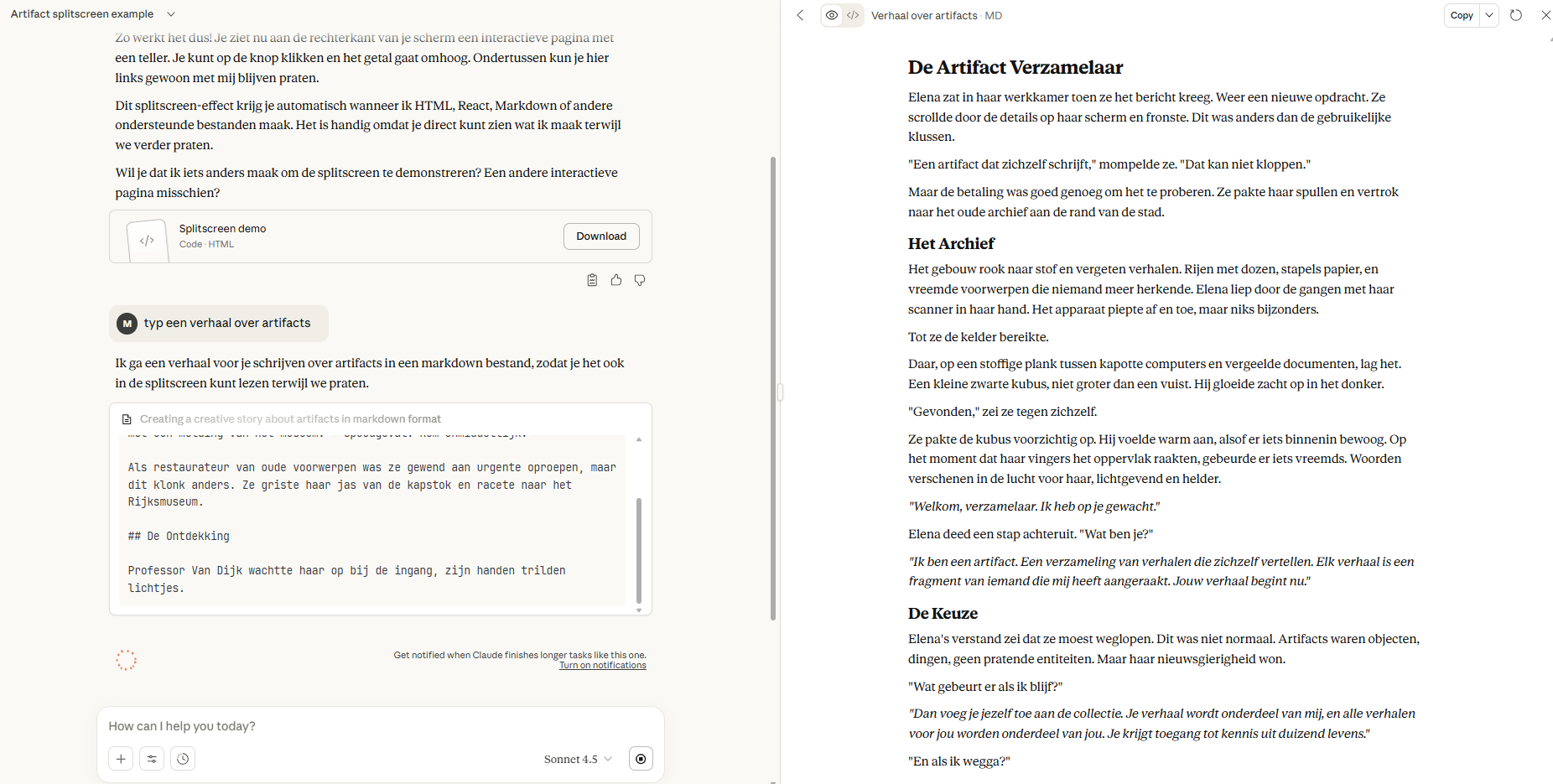
Artifacts is an extra window next to your chat. Ask for code or a website, and the result appears on the right side of the screen. On the left, you talk to Claude; on the right, you see the output. This keeps everything clear and organized.
Claude decides for itself when something is important enough for an Artifact. Usually for pieces longer than 15 lines that you’ll want to edit later. You say what you want, and Claude creates it.
The great part: you can keep working on the same Artifact. Spot a mistake or want to add something? Give feedback and Claude adjusts it without starting over. All versions are saved, so you can always go back to an earlier variant. What can you create with it? Think interactive websites with React, data visualizations, SVG images, markdown documents, or HTML pages. You can download the Artifact, copy it, or test it directly in your browser. No hassle dragging files back and forth. Claude works with you until it’s exactly right. Ask to make a button bigger, use different colors, or add extra functionality. The window stays open while you keep talking, so you see changes right away.
**What will you make with it?
You can create all sorts of things. Claude artifacts uses Code in Python or JavaScript that works instantly. Web pages that run directly. Charts and diagrams. Documents with the correct formatting. Even simple games.
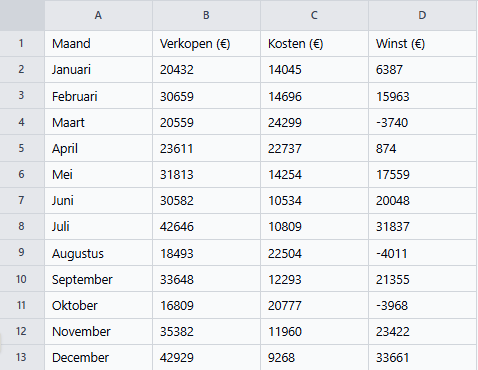
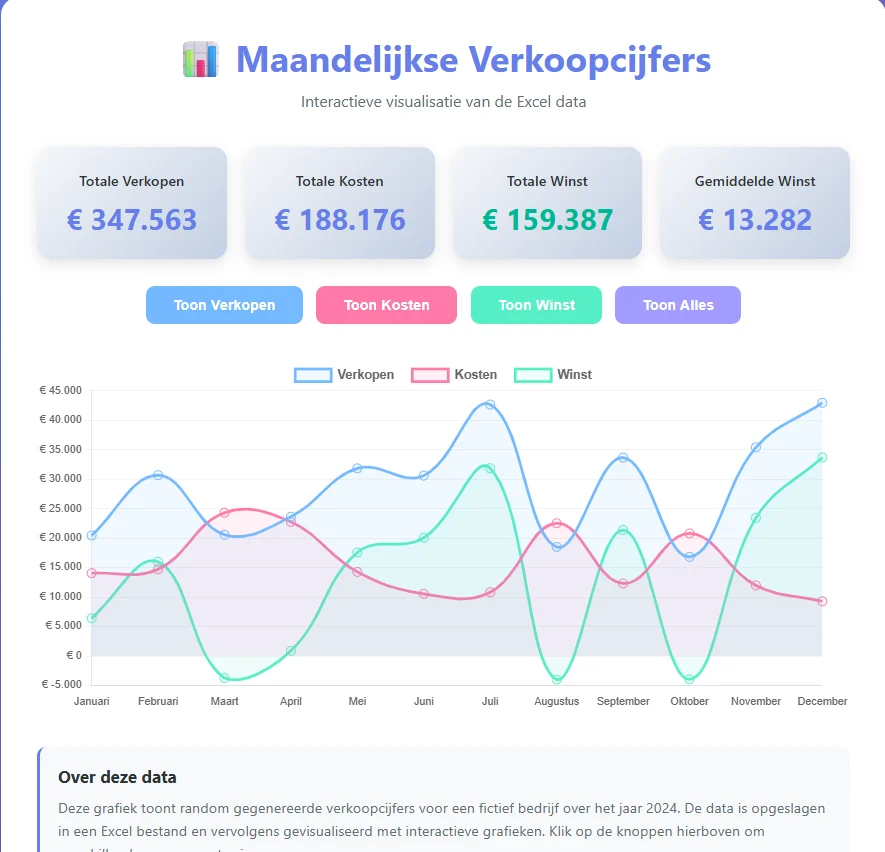
Handy example: upload an Excel file with figures and ask for a chart to be made from it. Claude understands the data and builds the visualization.
How artifacts works
The feature is usually already turned on. If not, check Settings. It also works on your phone.
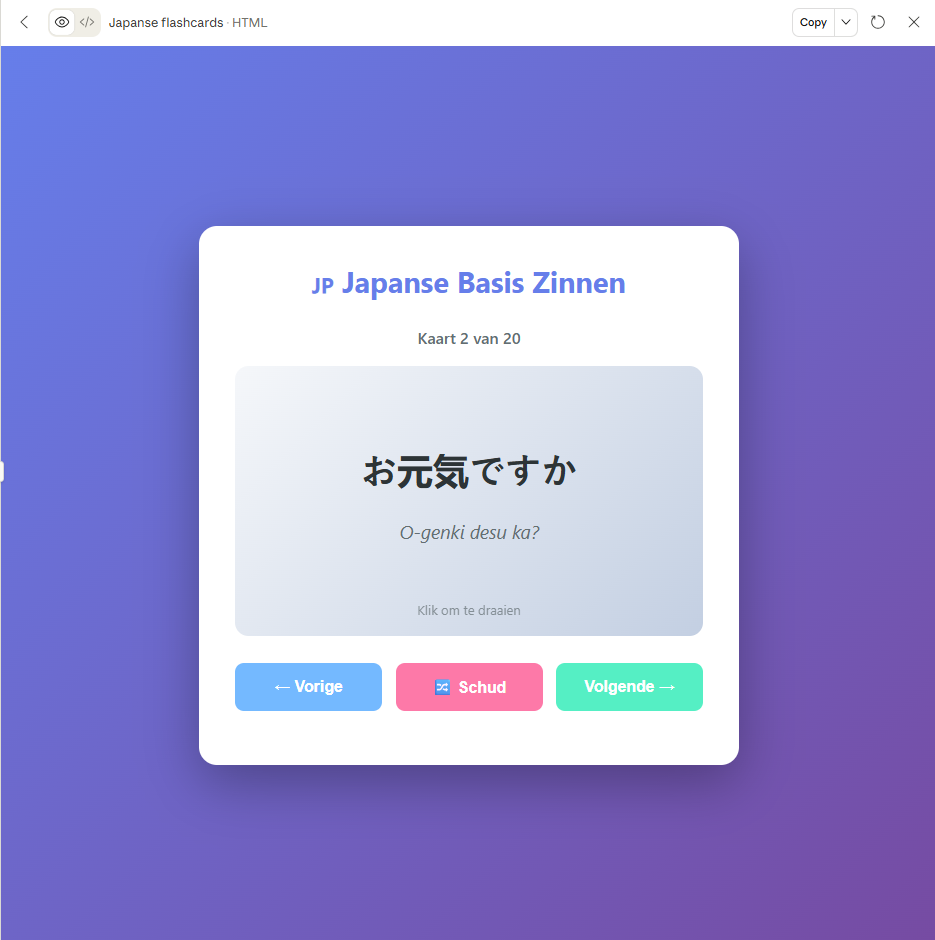
Type what you need. For example: “Make a flashcard app where I can choose the topic myself.” You’ll see that Claude immediately creates a working app. Too big? Ask: “Make the text smaller.” Too boring? “Add a button.” (In this case, flashcards for learning Japanese.)
Select a piece and click Improve for adjustments or Explain for an explanation. Every change becomes a new version. Not happy with it after all? Go back with the arrows at the bottom.
Your artifacts page
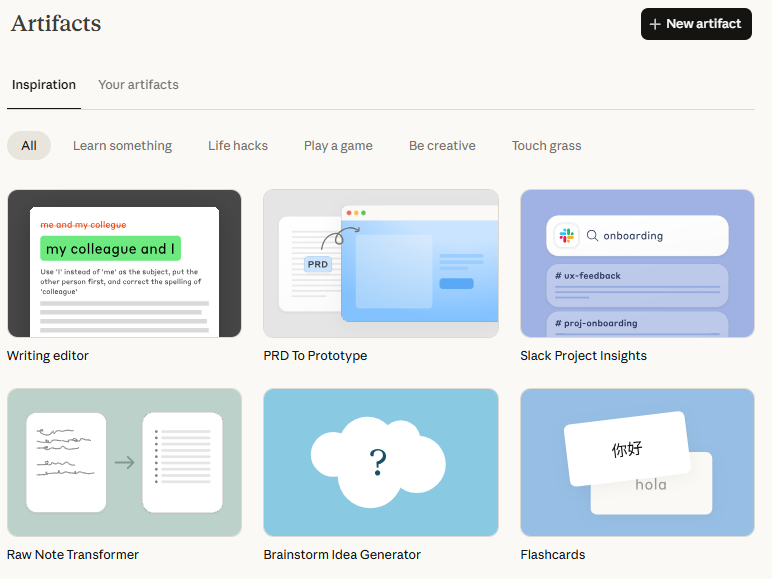
At claude.ai/artifacts you’ll find everything you’ve ever created. Your own gallery. Here you’ll also find examples from others that you can copy and adapt. Search for example for “Learn something” for teaching materials or “Play a game” for games.
Your artifacts are linked to your conversations. Click on an artifact and you’ll jump straight back to the chat conversation where you created it. Handy if you want to know which instructions you gave or want to keep working on a project.
Every artifact gets a public link that you can share. Others can then see what you made and use it as a starting point for their own version. They don’t modify your original – everyone works in their own copy. The filter function helps you quickly find what you’re looking for. Sort by date, file type, or search through your entire collection. Working on lots of different projects? Then it’s easy to keep track here.
Team users can safely share their work with colleagues. You’ll see each other’s artifacts within the team environment and can learn from one another or work together on projects.
Share with others
Making something great? Share the link. It doesn’t matter if 10 or 1000 people use it, you pay nothing. Their usage doesn’t count against you.
Even better: you can now build apps that talk to Claude themselves. Instead of a fixed set of flashcards, you create an app where people enter any topic. The app asks Claude to create new cards. Think of a writing assistant that gives feedback or a quiz generator that comes up with questions about any topic.
What you can do with it
Marketers: quickly test ideas. Build a landing page in ten minutes to see if your concept is well thought out. Create calculators or email templates.
Developers: try out ideas before putting hours of work into them. Create technical explanations with good examples.
Teachers: build quizzes that automatically generate questions. Create simulations that explain difficult concepts that students can try out immediately.
Content creators: write blogs, plan content, create posts all at once.
Tips for a better result
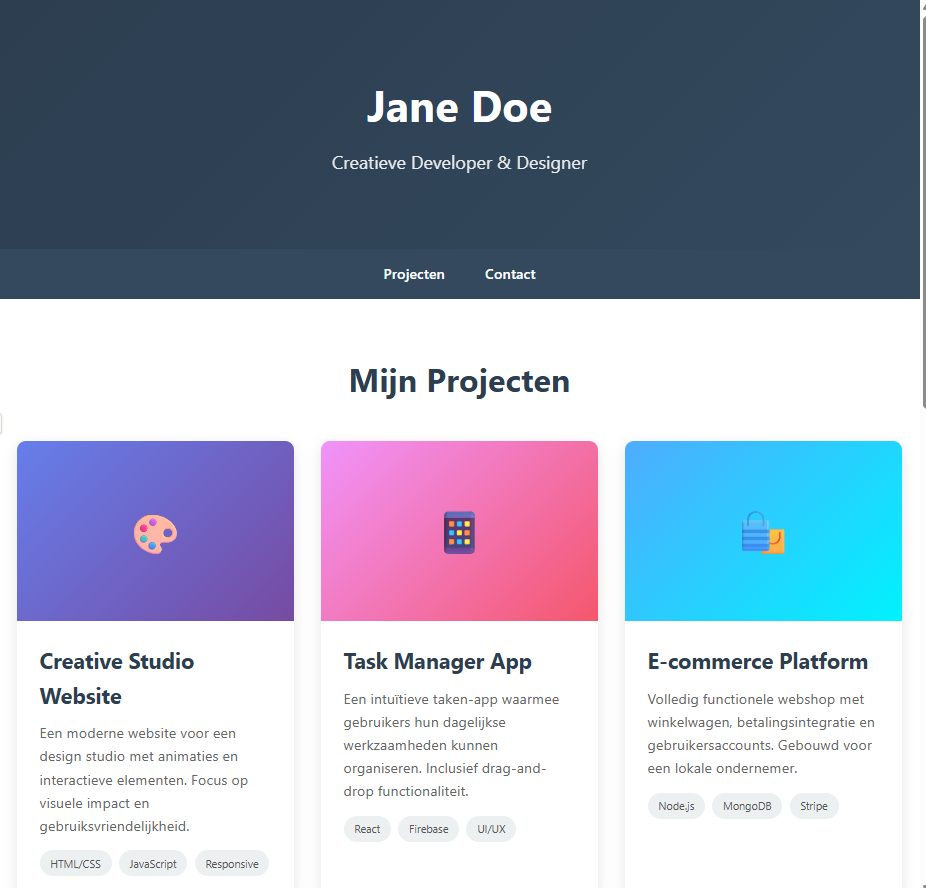
Be specific. Not “create a website”, but “create a portfolio with a header, 3 project examples and a contact form.” The clearer you are, the better the result.
Work step by step. First the basics, then extra features, then the styling. Switch between preview (how it looks) and code (how it works) to understand what’s happening.
Give examples if you want something specific. Do you have a particular color scheme or layout in mind? Describe it or refer to a site you like. Claude will then better understand which direction you want to go.
Just keep talking if something isn’t right. “That button should go to the left” or “make the text bigger” works fine. You don’t have to start over – Claude adjusts the existing Artifact.
Test what you make regularly. Click on buttons, fill in forms, try whether everything works as you expect. Do you come across something that doesn’t work well? Say so right away, then Claude will fix it.
Stay realistic about what’s possible. Artifacts are perfect for prototypes, visualizations and interactive demos. For complex applications with databases or server-side logic, you need more than just an Artifact. Claude honestly tells you when your request falls outside the possibilities.
Save your good prompts. Did you find a way of explaining that worked well? Write it down. You can use the same approach for your next project.
What is not possible with Claude artifacts
You really don’t need to understand anything about programming. Open Claude, just tell it what you want and see what happens. Start small. Build a simple tool. Instead of hours of work, you’ll have something ready in minutes. Not quite right? Just ask it to make changes. Good luck!
Try Artifactsout
Creating images or videos doesn’t work. You also can’t retrieve data from external websites due to security. Very large files can become slow. But for most things, it works just fine.